How to use Visit Japan Web - Online Arrival Card
Things to do before entering or returning to Japan.
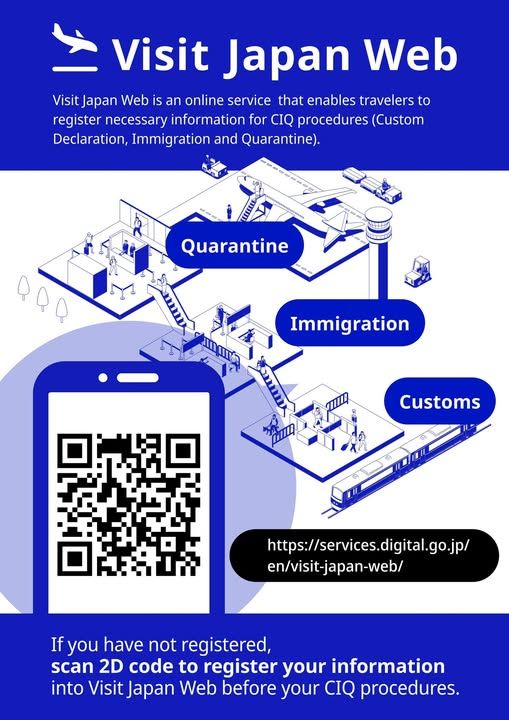
How to use Visit Japan Web
Steps for immigration procedures
- STEP 0 : Newly Create an Account・Login
- STEP 1 : Register user
- STEP 2 : Register your entry/return schedule
- STEP 3 : Fill your entry/return procedure
- STEP 4 : Show the 2D code from entry/return procedure
Things to do before entering or returning to Japan
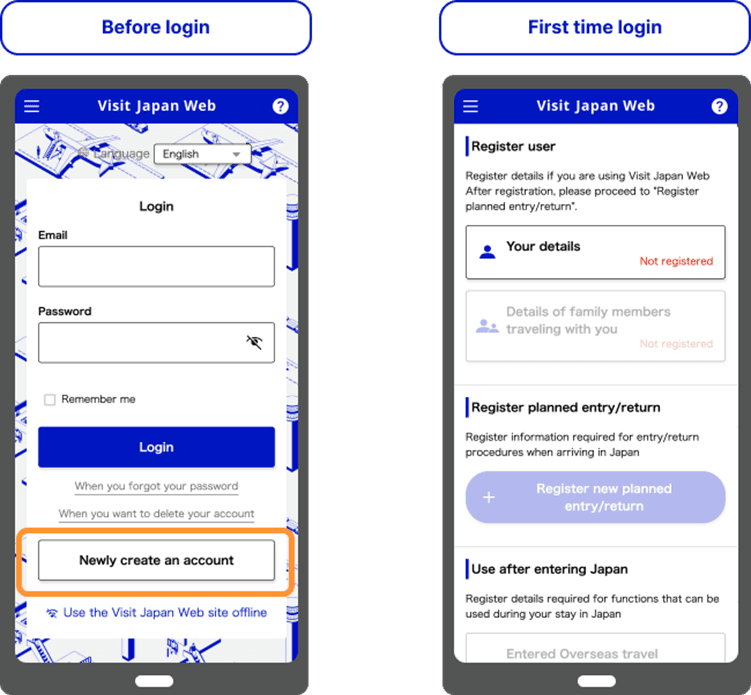
STEP 0 : Newly Create an Account ・Login
An email address is required to create a new account.
STEP 1 : Register user
(1) Register the category of entry/return procedure
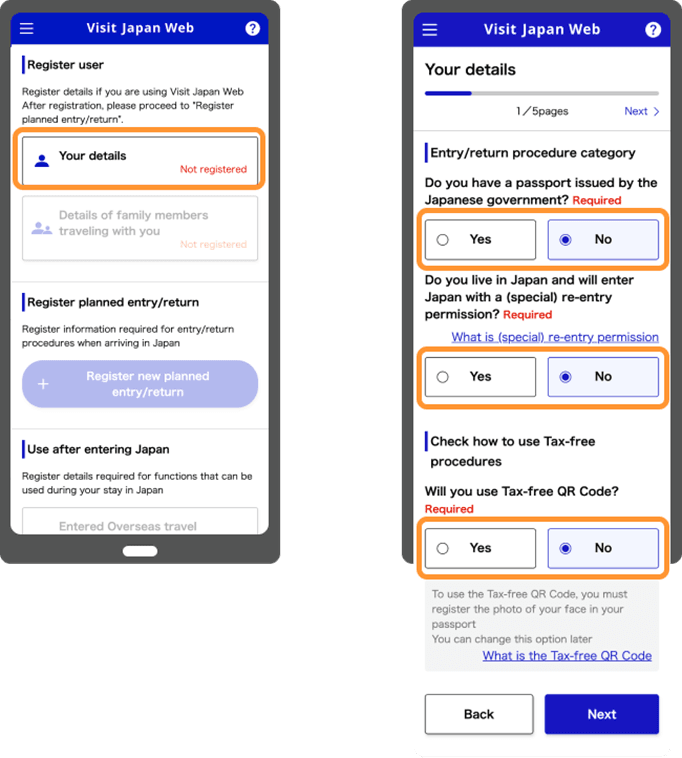
(2) Register your Passport information
You can choose either "Scan with camera" or "Enter by yourself" to register your passport information.
If your passport expired date is less than six months, a warning message will be displayed depending on the remaining period.
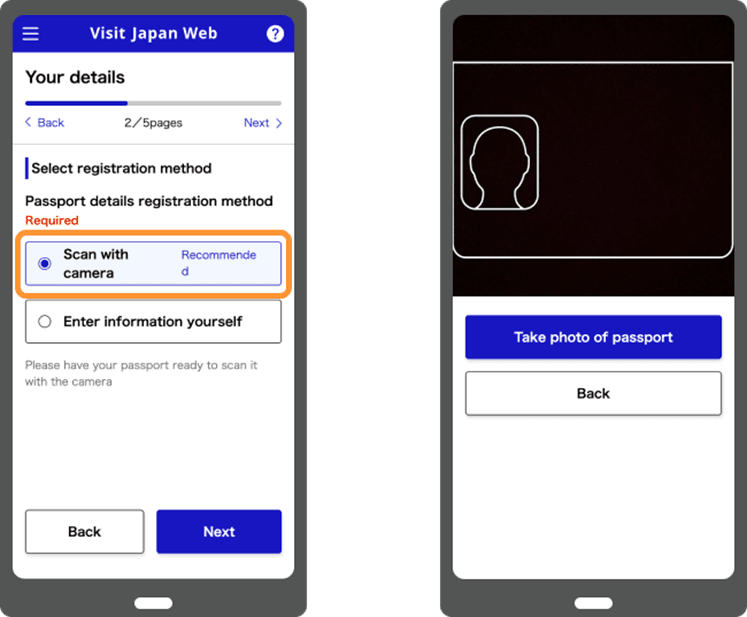
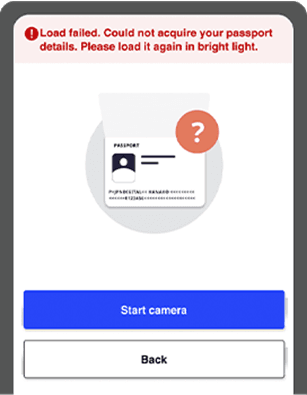
If rescan the photo does not work, you can select "Enter by yourself" from the Registration method selection page and enter it directly.
Passport information is required to use the tax-free purchase feature.
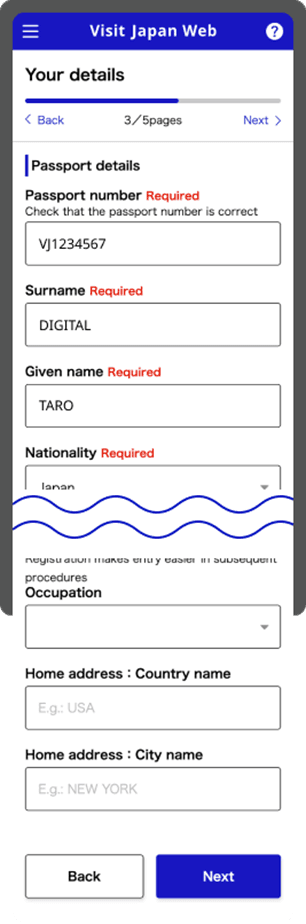
(3) Register Basic Information
This is an optional field.
If you have entered this field, you can quote it in "Fill your entry/return procedure" on STEP 3.
It is recommended to fill this optional field, if you do not change your occupation or address frequently.
*Japanese or those with re-entry permit cannot entry the field below.
Current address: Country name
Current address: City name
(4) Enter your contact information (place of stay) in Japan
This is an optional field.
If you have entered this field, you can quote it in "Register your entry/return schedule" on STEP 2.
It is recommended to fill this optional field, if you have an address in Japan or a place you frequently stay.
*Foreigners cannot fill this field.
STEP 2 : Register your entry/return schedule
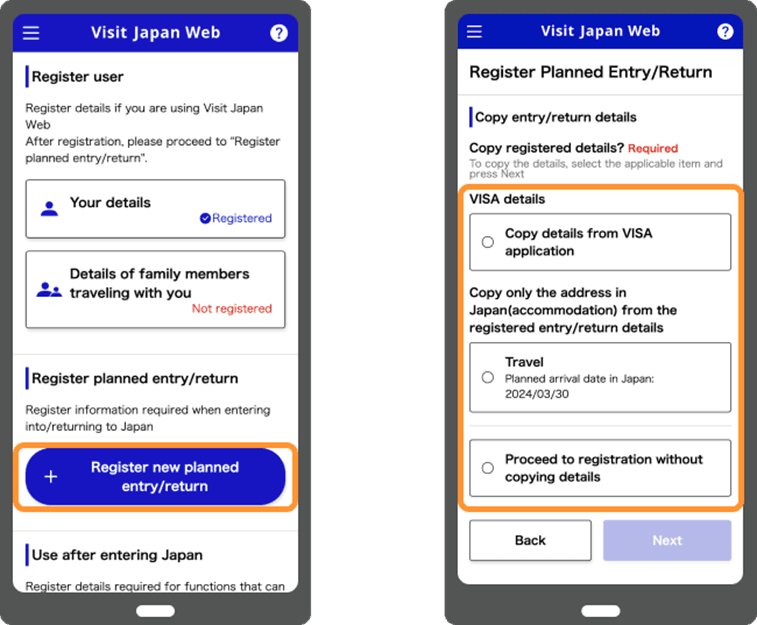
Enter your travel information and register your schedule.
You can register using any of the methods A to C below.
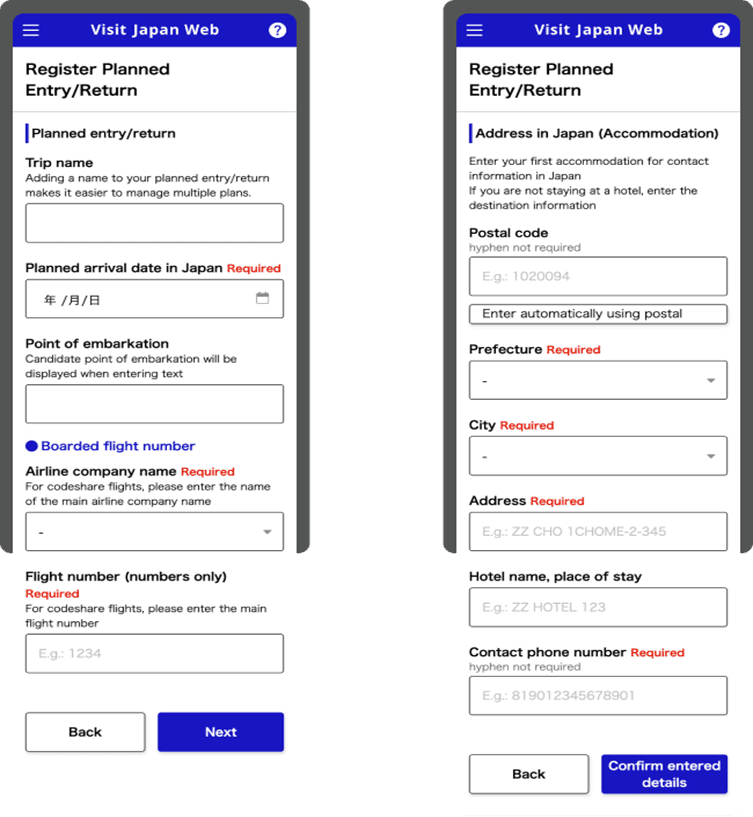
(A) Proceed with registration without citation
Fill in the required information.
(B) Quoted from registered immigration and return information
Information that can be quoted is display.
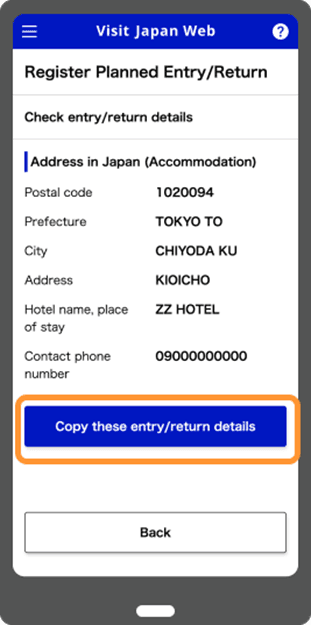
To quote from the displayed information, click "Quote this entry/return information" to proceed.
If you select the registered entry/return information, only "Japan contact information (place of stay)" is quoted.
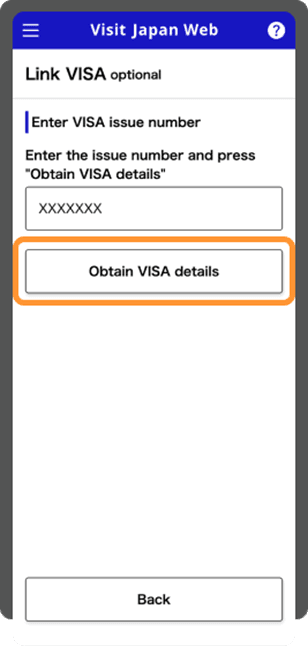
(C) Citing information when applying for a visa
Enter your visa issue number and click "Get visa information" to display your visa information.
To quote from the displayed information, click "Quote this visa information" to proceed.
STEP 3 : Fill your entry/return procedure
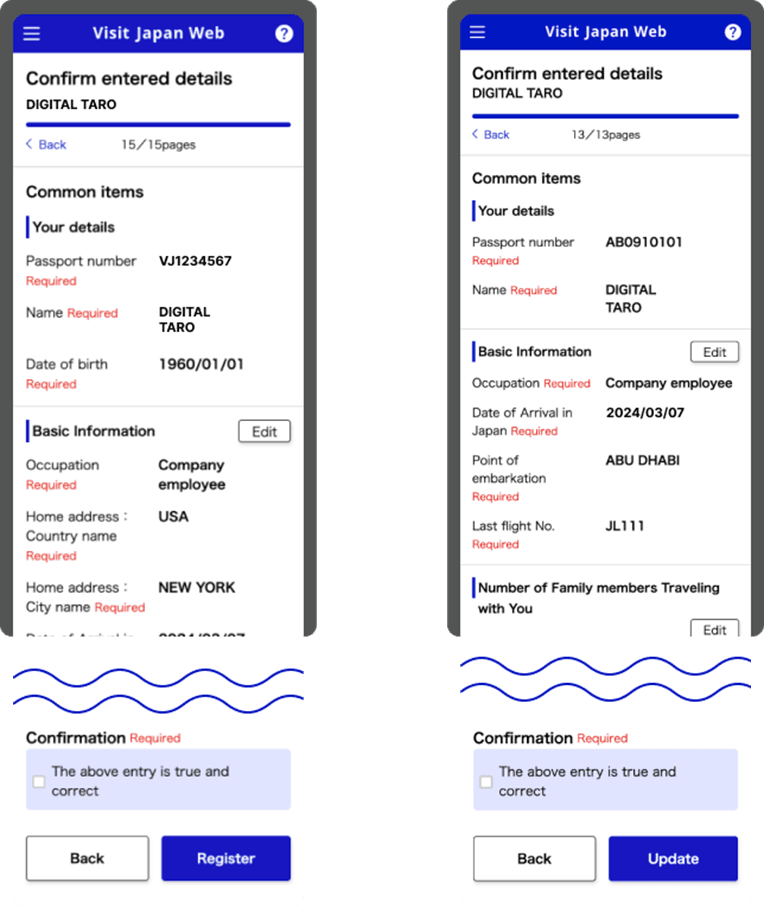
Click on your registered schedule and enter the required information for entry/returen procedures.
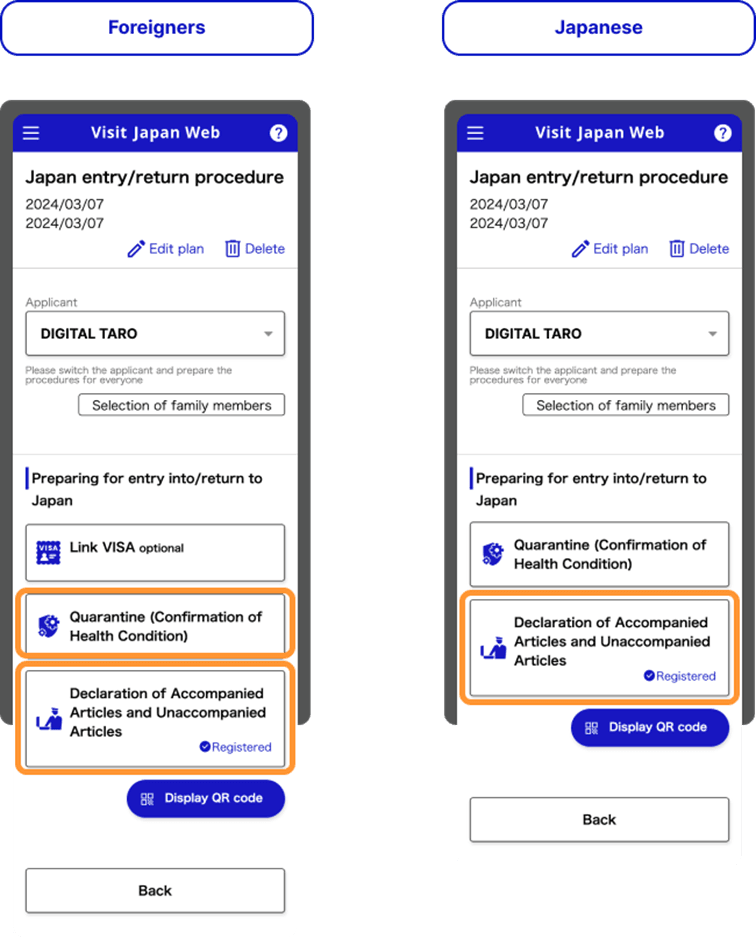
Immigration clearance and customs declaration
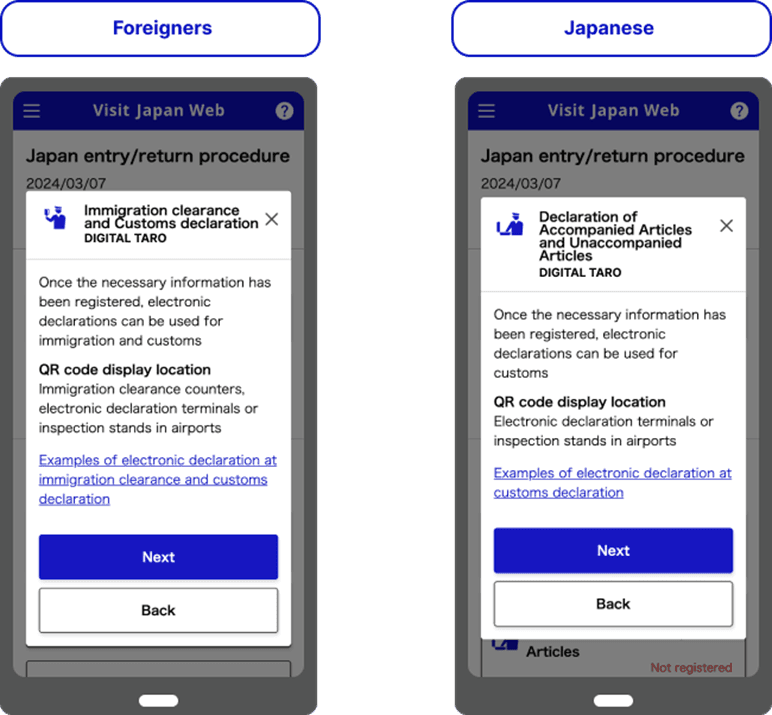
Register your infomation from "Immigration clearance and customs declaration" on the procedure page.
*Immigration clearance (foreigner entry record) registration is not required for Japanese or those with re-entry permit.
Only customs declaration (declaration of personal effects and unaccompanied items) registration is needed.
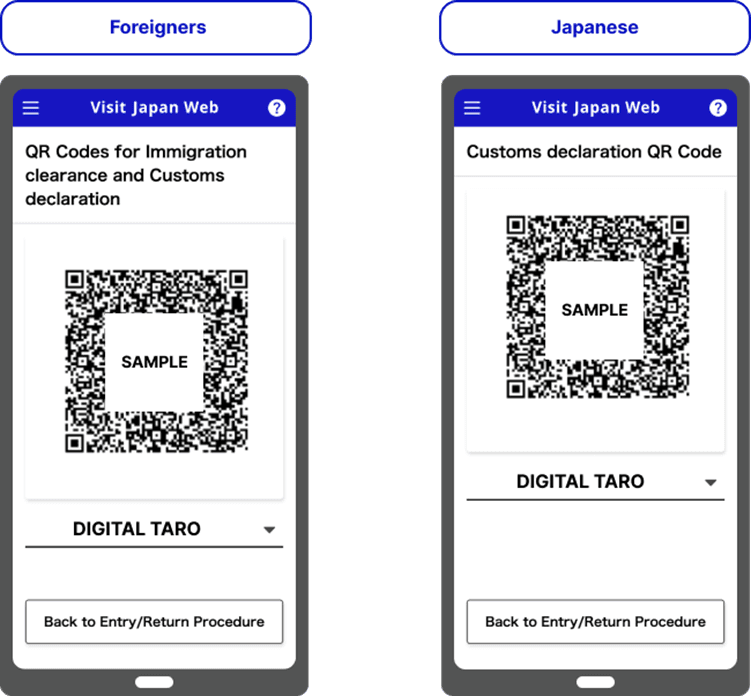
STEP 4 : Show the QR code from entry/return procedure
Immigration clearance and customs declaration
Display the QR code from the procedure page.
The QR code can be used at the immigration counter for immigration clearance, and at the electronic declaration terminal or inspection table for customs declaration. After finishing the declaration from the electronic declaration terminal, you can use the electronic declaration gate.
*At Haneda Airport, Fukuoka Airport, and Naha Airport, you can use the electronic declaration terminal to make your customs declaration electronically while waiting for your baggage to appear on the turntable.